
September 27, 2016 23:14 by
 Dan
Dan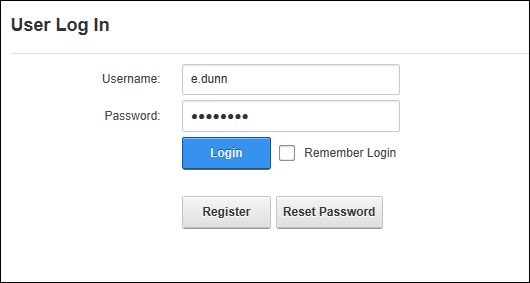
First time/novice users generally tend to do a lot of R&D after installing dotnetnuke, that's when there is a possibility that your host account might get locked up.
Here's a quick way to get around this problem :
Case 1:
Current skin and container on your dotnetnuke installation is the default skin and container.In which case you should be able to see the Register link before the login link on the home page.
In this case follow the points mentioned below -
Go to the home page of your browser.
Click the "Register" link and create a new user.
Go to the database of the dotnetnuke installation.
Open the Sql server query analyser and execute "Select * from users"
You should see your user in the list, execute
"UPDATE Users
SET IsSuperUser = 1
WHERE UserID = "
Now log into the site, You should be able to log into the site and then in the Host->Host Accounts.
Search for your original host account, edit it and click the "Manage Password" link.
Since you have forgotten your current password keep that textbox blank, Enter the new password and confirm it.
Click the "Change Password" link.
Log out of the site.
Log in with the original host user now.
Once you are able to log in the site as your original host user go back to the database and execute
UPDATE Users
SET IsSuperUser = 0
WHERE UserID =" this will reset the new user to a normal user (Remember that we had set this normal user as a host user).
Case 2:
Current skin and container on your dotnetnuke installation is your custom skin and container.In this case you may or may not have the "Register" link on your homepage.
In this case follow the same steps from steps -3 till the end.
That's it you have successfully changed your host account password.
Best Recommended DotNetNuke Hosting
ASPHostPortal.com is the leading provider of Windows hosting and affordable DotNetNuke Hosting. DotNetNuke Hosting from ASPHostPortal.com provides a safe, reliable and performance-driven foundation for your DotNetNuke website. DotNetNuke is the perfect Content Management System for managing and developing your website with one of ASPHostPortal’s Hosting plans. ASPHostPortal has ability to support the latest Microsoft and ASP.NET technology, such as: WebMatrix, WebDeploy, Visual Studio 2015, .NET 5/ASP.NET 4.5.2, ASP.NET MVC 6.0/5.2, Silverlight 6 and Visual Studio Lightswitch, ASPHostPortal guarantees the highest quality product, top security, and unshakeable reliability, carefully chose high-quality servers, networking, and infrastructure equipment to ensure the utmost reliability.